MySimpleLife

Explorer posts by tags

Productivity 29 Decluttering 24 Organization 16 Decluttering 10 Focus 10 Habits 10 Time management 10 Minimalism 9 Eco friendly 9 Home organization 9 Time Management 8 Zero Waste 8 Minimalism 8 DIY 7 Sustainable Living 7 Linen closet 7 Sustainability 6 Productivity 5 Eco Friendly 4 Eco friendly 4 Productivity Hacks 4 Deep work 4 Home office 4 Kitchen organization 4 Organizing 4 Plastic free 4 Storage solutions 4 Zero waste 4 Decluttering tips 3 Home Organization 3 Organizing 3 Sustainable living 3 Upcycling 3 Declutter 3 Email management 3 Entryway 3 Kitchen hacks 3 Micro habits 3 Mindfulness 3 Self care 3 Sustainable living 3 Zero waste 3 30 minute makeover 2 Deep Work 2 Eco Friendly 2 Eco friendly swaps 2 Focus 2 Holidays 2 Home organization 2 Inbox Zero 2 Mental Clarity 2 Motivation 2 Organization 2 Plastic Free 2 Plastic free 2 Procrastination 2 Sticky notes 2 Time management 2 Boundaries 2 Brown noise 2 Calendar management 2 Digital declutter 2 Digital decluttering 2 Energy management 2 Green living 2 Habit formation 2 Home 2 Home tips 2 Labeling 2 Laundry 2 Laziness 2 Motivation 2 Paper clutter 2 Planning ritual 2 Procrastination 2 Productivity tips 2 Shampoo bars 2 Storage bins 2 Sustainable lifestyle 2 Time blocking 2 Time blocking 2 Timeboxing 2 To do list 2 Towel organization 2 Upcycling 2 Weekly planning 2 2 PM reset 3 folder method 4 box method 5 minute forecast 60 minute sprint 90 minute block Apartment Composting Artisanal Crafting BBQ Bathroom organization Bathroom upgrade Beeswax wraps Big 3 Bokashi Budget Friendly Cable management Calendar tips Capsule Shelf Cat Videos Chairdrobe Charging station Christmas Cleaning Cleaning tips Closet organization Clothes donation Clothing Swap Composting Cora Ball Cord library Cost Savings Cost comparison Cost savings Crafting Creativity DIY Cleaning DIY Detergent DIY cleaners DIY cleaning Decision Fatigue Declutter Tips Decluttering Tips Desk organization Digital Decluttering Digital Detox Digital Memories Donations Doomscrolling Door Kanban Dopamine Drying time Eco Grooming Eco Friendly Grooming Eco Friendly Laundry Eco Friendly Pets Eco Friendly Skincare Eco Friendly Tips Eco friendly laundry Eisenhower Matrix Email Management Emotional Clutter Energy Saving Energy efficiency Energy savings FIFO FIFO labeling Family Activities Favors Finishing Tasks Food storage Garden Décor Gift Wrapping Gifts Glass Straws Glass containers Gmail Google Docs Green Living Green Pet Toys Grocery Shopping Guppyfriend Habit building Holiday decor Home office Home organizing Household Humor Indoor Composting Indoor air quality Induction cooking Junk Drawer Kitchen KonMari Labeling cables Last Minute Lazy tips Letting Go Low Odor Lunch Ideas MITs Maker vs Manager Memory Box Micro Habits Micro actions Micro habits Minimalist living Minimum Viable Day Morning Routine Not To Do List Note taking Office makeover Organizing Tips Outlook Personal Kanban Pet Waste Photo Cleanup Planning Pomodoro Portable induction burner Power Hour Power Naps Prioritization Productivity hacks Productivity tips Purse Organization Quick cleaning Refillable concentrates Repurposing RescueTime Reusable Bags Reusable Cloths Reusable Containers Reusable water bottles Reusables Rule of 3 Safety Razor Self Care Sentimental Clutter Shower Inbox Shower capture Skincare Sleep Social Bonds Social Media Management Start Bin Static control Stress Management Summer Sunday Reset Sustainability Sustainable Beauty Sustainable Fashion Sustainable Kitchen Sustainable Pet Food Sustainable habits Sustainable kitchen Sustainable self care Sustainable wardrobe Thrifting Time blocking To do list Toggl Unconventional Hacks Under sink organization Visual management WIP limits Wardrobe Wardrobe makeover Waste Reduction Water Conservation Water saving Weekend organization Windows Wine Bottles Wool dryer balls Work life balance Workspace Zero waste cleaning Zero Waste Bathroom Accountability Afternoon ritual Air drying App detox Automation Backlog triage Beginner friendly Binaural beats Body doubling Bookshelf decluttering Box audit Breaks Browser Budget Buffers Burnout prevention Calendar detox Calendar planning Canned responses Capsule kit Capsule wardrobe Car organization Car tips Celebration Clean desktop Cleaning Clutter free kitchen Coffee Context planning Cookbooks Cost per wash Cost savings Cost per load Crafts Creativity Daily note Daily planning Decision fatigue Decluttering tips Deep work Defrosting Desk organization Desk routine Detergent formats Digital minimalism Digital wellness Digital workspace Digitize documents Drop zone Eco friendly Eco laundry Eco friendly cleaning Eco friendly entertaining Eco friendly shopping Eco friendly travel Email templates End of day Energy budgeting Energy savings Fair trade File organization Focus audio Focus music Folding tips Folding towels Food waste Food waste reduction Freezer organization Freezing Fridge makeover Fridge organization Garage organization Gift guide Glass containers Green travel Grocery tips Haircare Hard water Hazardous waste safety Holiday decor Home care Home decor Home hacks Home routines Home storage Household chaos Houseplants Inbox system Inbox zero Indoor plants Indoor composting Keyboard shortcuts Kids toys Kitchen Kitchen cleaning Kitchen efficiency Lo fi beats Lo fi hip hop Low energy productivity Low waste Low waste hosting MacOS Mail triage Makeup Meal planning Meal prep Meetings Mental clutter Mental health Mental signals Micro tasks Microfiber reduction Microfibers Microplastics Mini tasks Minimalist travel Morning routine Mug declutter Multitasking Natural ingredients Nature sounds Nightstand Notes system Notifications Office tips Organizational system Organize phone Organizing tips Packing tips Pantry Paper decluttering Par levels Parenting tips Personalization Plant care Plastic waste Productivity apps Productivity experiments Productivity hack Productivity hacks Reading list Recycling Remote work Resale kit Rest Reusable Reusable cloths Reusable bags Reusables Rituals Routine Scan and shred Schedule optimization Second brain Self improvement Shredding Shutdown routine Small wins Smartphone Snacks Snippets Socks Spice purge Sticky notes Storage tips Sustainable Sustainable fashion Sustainable gardening Task batching Task management Task sizing Templates Text expansion Three tags Tidying Time audit Time saving Time tracking Tips To do lists Towel management Toy organization Toy storage Travel friendly Two minute rule Under $25 Under sink organization Utensils Vermicomposting Wardrobe organization Weekend project Weekly reset Weekly review Weekly ritual Weekly sweep Wellness Work tips Workflows Workspace setup Worm bin

Inbox Triage: The Two-Minute Rule to Email Sanity

Inbox Triage: The Two-Minute Rule to Email Sanity

Ever looked at that mountain of emails in your inbox and thought, “This is fine,” as virtual flames rise behind you? Yep, same. My inbox once looked like it had been hit by a digital tornado: a mix of promo codes from 2017, six newsletters I never signed up for, and that one urgent email I never saw until way too late. But then I found the “Two-Minute Rule,” and friends—this rule turned my inbox nightmare into something that resembles calm. Not serene, spa-like calm, but let’s say…manageable chaos.

So, if email overload has become your unofficial side hustle, let me walk you through how to triage the madness with this delightfully simple rule.


The Two-Minute Rule is exactly what it sounds like: if an email can be responded to, deleted, forwarded, or filed in under two minutes—just do it now.

Seems overly simple? That’s the point. It is simple. And it’s magical.

What If It Takes More Than Two Minutes?

If a message takes more than two minutes to handle, don’t do it on the spot—defer it, snooze it, or schedule time to deal with it properly. The magic only works if you stay inside the “less-than-two-minute” lane.

Let’s go through how you can apply this rule in your daily email chaos—and survive it. Maybe even thrive. Wild stuff, I know.


First, Set the Scene: Your Digital Battleground

Before you dive into practicing the rule, take a moment to mentally (and literally) clean your space. Like trying to clean your desk before actually working… it’s procrastination and prep in one. Win-win.

You can even go a step further and create a sacred digital workspace. Inspired by my own past experiment, Procrastination Shrines: How to Set Up a Workspace You Actually Want to Sit In, try lighting a candle or moving the coffee mug graveyard away from your laptop.

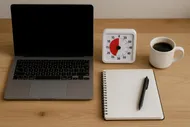
Person checking emails with coffee and ambient lighting

Step 1: Aim For ‘Email Zero’—But Don’t Panic Yet

Okay, calm your perfectionist brain. Inbox Zero isn’t a religion here. In fact, Inbox Zero for Real People (Not Robots or Hermits) breaks down why just aiming for zero makes you more mindful. The goal is clarity, not total elimination.

Here’s how to start without crying:

🎯 The Morning Sweep (15 min max)

  1. Open the inbox.
  2. Scan for anything you must respond to today.
  3. Use the Two-Minute Rule to start hacking away.

If something takes under two minutes, do it immediately:

  • Yes, you can quickly confirm the dentist appointment.
  • Yes, unsubscribe from that newsletter that’s been haunting you since 2019.
  • Yes, forward the report instead of mentally bookmarking it forever.

Just. Do. It.

Step 2: Use Tools to Speed Things Up

I’m not saying you have to turn your inbox into a productivity dojo, but a tiny bit of automation does help.

Try These Inbox Superpowers:

  • Snooze button: helpful for the “I’ll deal with this tomorrow, I swear” emails.
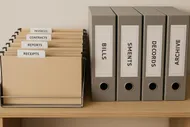
  • Labels or folders: create tags like “Read Later,” “Waiting On,” and “Actions.” You only need 3–5 categories; don’t make a folder for every mood.
  • Templates: reuse answers if you send the same polite “thanks-but-no-thanks” replies. Gmail even has a “Canned Responses” feature in Settings.

Want to go even further down the rabbit hole? Check out The Best To-Do List Apps to Trick Your Brain into Getting Stuff Done. You can forward emails directly into tools like Todoist or Notion and never look at your inbox again (jk… kinda).

Step 3: Create a ‘Triage Zone’

Ever opened an email on your phone in line at Target and thought, “I’ll handle this later”… then forgot entirely? Me too. That’s where your ‘triage zone’ comes in.

Designate a “processing” time—maybe 15 minutes mid-day, or during your Power Hour. During this time, you don’t just read; you act. Apply the Two-Minute Rule relentlessly.

Brain Hack

Use the Pomodoro Technique with your triage time! 25 minutes focused on crushing short emails can make you feel like the CEO of Focus Inc. And yes, I’ve tested if the Pomodoro thing is a scam.

Step 4: Train Your Inbox Guests

Let’s be honest—half of your inbox is promotional noise, LinkedIn updates, and “Hi, just checking in!” nudges. It’s time to set boundaries with your inbox inhabitants.

Email Hygiene Tips:

  • Unsubscribe first, ask questions never.
  • Filter aggressively: anything not from a human or calendar? Skip the inbox.
  • Respond less to meaningless chains: Your “Thanks!” reply is nice, but sometimes silence is golden.
Man happily clearing out inbox while sipping tea

Step 5: The Weekly Email Review (A Ritual You Won’t Hate)

Once a week (for me, it’s Sunday afternoon), run a bigger sweep and sort the emails that slipped through the cracks. Ton of stuff in “read later” that you never read? Archive bravely. Half-completed replies? Finish or delete.

This doesn’t have to be a chore. Light a candle. Put on a good playlist. Make it part of a larger [Sunday Reset]—like a ritual to beat those incoming Monday Scaries.

Play

(Okay I know that video is about morning routines, but it’s vibey and will motivate you while you email-clean. Trust me.)


Wait—Does This Really Work?

Look, I’m not saying this Two-Minute Rule will turn you into some email deity who replies instantly to everyone and never loses sleep again. But it does create momentum.

And momentum, my friends, is everything.

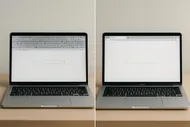
Here’s my honest before-and-after:

The trick is consistency. Two minutes here, two minutes there—it ADDs up (see what I did there?). Before you know it, you’ve responded to a week’s worth of stuff in the time it takes your microwave lasagna to ding.

If you’re still feeling like your inbox is plotting against you, pair this rule with a little digital decluttering joy: Turn Your Smartphone into a Minimalist Productivity Tool.

Ready to Triage?

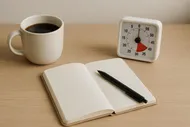
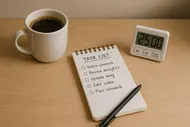
Here’s your challenge: For one week, apply the Two-Minute Rule for just your morning email check-in. Set a timer for 15 minutes. Open your inbox. Do what takes under 2 minutes. Snooze the rest.

Report back: Did you feel like a productivity ninja or a hamster in business casual? Either way—we’re rooting for you.

Share Your Triaged Triumphs

Got a ridiculous spam email you finally unsubscribed from? Or handled 12 emails in 20 minutes? Tag us in your digital detox wins on Instagram. We love email freedom stories.


profile image of Max Bennett

Max Bennett

Max was once the king of procrastination, proudly sporting a "Deadline Enthusiast" badge. After realizing he spent more time organizing his desk than actually working, he dove headfirst into the world of productivity. Max now experiments with unconventional (and sometimes ridiculous) productivity hacks and shares what works—with plenty of laughs along the way.

Read all posts of Max

Related Posts