If the phrase “weekly review” makes your soul crumple like a receipt at the bottom of your bag, same. I used to “do” a weekly review by avoiding it so hard that on Monday my brain felt like a tab-gremlin was playing whack-a-mole with my attention. Then I built a 30-minute Sunday reset that doesn’t involve color-coded spreadsheets, a bonsai zen garden, or chanting. It’s simple, forgiving, and it gives Monday-you a smug glow you can’t buy on the internet (I tried).
Your mind is for having ideas, not holding them.
David Allen
Spoiler: this isn’t GTD cosplay. It’s a minimal system that consolidates your mental open loops, checks your calendar for booby traps, trims your to-do jungle, and sets a tiny plan for the week—all in half an episode of your favorite show.
🛎️
Quick heads-up
This post contains a few affiliate links. If you buy through them, we may earn a tiny commission at no extra cost to you. It helps keep the coffee flowing and the cat off my keyboard. Thanks for supporting MySimple.life!
Why this works (and doesn’t hurt)
It’s time-boxed: 30 minutes means no perfection spiral.
It’s ruthless about “good enough”: if your checklist isn’t checked, we still stop the timer.
It’s holistic, not heavy: you look at calendar, tasks, and energy—not every pixel of your life.
Pro tip: set a max of 10 tasks in “Keep” for the entire week. If that gives you hives, remember this: a smaller list done beats a massive list haunting you like a Victorian ghost.
4) The Week’s Big 3 (6 minutes)
Choose three outcomes that would make you proud by Friday. Not busywork. Outcomes. e.g., “Ship homepage draft,” not “work on homepage.”
Make your Sunday reset a 30-minute body doubling session with a friend. Say what you’ll do, mute, sprint, then send each other a screenshot of your Week’s Big 3. Need a primer? Read Body Doubling 101: What it is and why it works.
The 10-Minute ‘Good Enough’ Version
Busy Sunday? Kid birthday? The laundry has unionized? Do this:
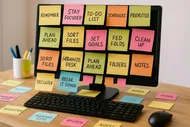
3 min: Brain dump the top 10 mental tabs.
2 min: Calendar peek for the next 7 days—mark two focus blocks.
3 min: Pick a Week’s Big 1. Just one outcome.
1 min: Write Monday’s Big 3.
1 min: Stage the first click for Monday.
When in doubt, shrink it. Momentum beats masterpiece.
Tools that make it oddly satisfying
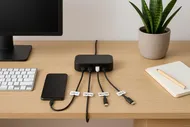
You don’t need fancy gear, but a couple of tactile helpers can turn this from “ugh” into “ahh.”
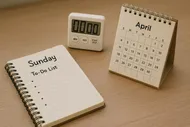
A physical timer so you don’t wander into notification Narnia. Time-boxing with a visible dial keeps me honest.
A comfortable notebook for weekly notes and Big 3 summaries.
A pen you actually like using (yes, this matters; no, I will not apologize to my drawer of pen exes).
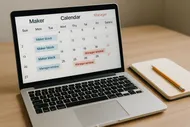
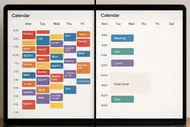
Calendar look-forward (2 weeks): mark focus blocks; spot conflicts.
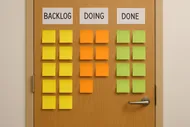
Backlog triage: Keep, Kill, Park, Punt.
Limit “Keep” to 10 tasks max.
Pick Week’s Big 3 outcomes.
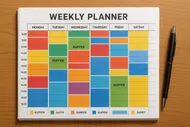
Assign a primary day for each Big 3.
Outline up to 3 enabling tasks per Big 3.
Set Monday’s Big 3.
Stage Monday’s first click (file/tab/phone number).
Optional: schedule a No-Meeting Half-Day.
Optional: send a quick update to stakeholders.
Optional: tiny treat for showing up (coffee, walk, three grapes—go wild).
Tiny backlog triage, explained
Think lightning chess, not courtroom drama.
Keep: Tasks tied to this week’s outcomes or real deadlines.
Kill: Anything expired, irrelevant, or invented by a past-you high on ambition. Deleting is self-care.
Park: Capture in a Someday/Maybe note so it stops orbiting your brain like a satellite of guilt.
Punt: Delegate with a clear ask and deadline (“Could you send me version A by Wednesday?”), or defer by scheduling it to a specific date.
The trick is speed. If you hesitate for more than 10 seconds, Park it. Review Park monthly. If it never makes the cut, Kill with kindness.
📅
Make it a recurring date
Book a weekly calendar event called “Sunday Reset” (or “Tea + Triage” if you’re feeling fancy). Set it to repeat. Future you will forget; Calendar you will not.
What to do when the week explodes by Tuesday
It will. That’s not failure; that’s called “being a person.” Here’s the playbook:
Re-anchor with a 5-minute midweek mini-review: scan the Week’s Big 3, pick one next action, and move one non-urgent task to next week.
One of my secret weapons: ending the weekly review with a mini “Ta-Da” list. Write what you finished last week and one thing that went well. It yanks your brain out of “I’m behind” mode into “I can do this.” If you haven’t tried it, read The Power of the Ta-Da List: Celebrating Small Wins for Big Motivation.
05:00–11:00 Calendar scan (back one week, forward two)
11:00–21:00 Backlog triage (Keep/Kill/Park/Punt)
21:00–27:00 Week’s Big 3 + assign focus days
27:00–30:00 Monday’s Big 3 + stage first click
If you finish a step early, give that minute to backlog triage. It’s the unruly garden that needs the most weeding.
Keep your Monday smug
Monday-you shouldn’t start by spelunking your inbox. Start by scanning your Week’s Big 3, picking the day’s Big 3, and doing the “first click” you staged. If you need a 5-minute morning ritual to make that stick, try The 5-Minute Forecast: A Quick Morning Planning Ritual.
One last thing: the point isn’t to control your week into submission. It’s to give your brain a sturdy little floor so it stops tripping over itself. Even a “B-” weekly review creates an “A+” Monday.
🎯
Your tiny challenge
Try the 10-minute version this week. If you feel 10% calmer on Monday, graduate to the full 30 next week. Share your coziest Sunday reset setup and tag us on Instagram so we can cheer you on: @mysimple.life.official.
Max was once the king of procrastination, proudly sporting a "Deadline Enthusiast" badge. After realizing he spent more time organizing his desk than actually working, he dove headfirst into the world of productivity. Max now experiments with unconventional (and sometimes ridiculous) productivity hacks and shares what works—with plenty of laughs along the way.
Declutter your makeup with ruthless clarity and hygiene, and build a 30-day capsule kit you can use in a half‑awake routine. The post guides you through auditing, cleaning, and organizing for a calmer makeup drawer.
A quick guide to learn 20 time-saving keyboard shortcuts across macOS/Windows, Gmail, Google Docs, and browsers in 20 minutes to boost daily productivity.
A practical, no-shame guide to a one-week time audit that reveals hidden time leaks, helping you reclaim 5–10 hours next week with simple logging methods, templates, and quick fixes.














































































































































 by
by 




 by
by